Short articles on using ArzonTop. The app is in Uzbek and Russian, so button names are given in Russian. No answer here? Message me on Telegram.
First launch: language and city
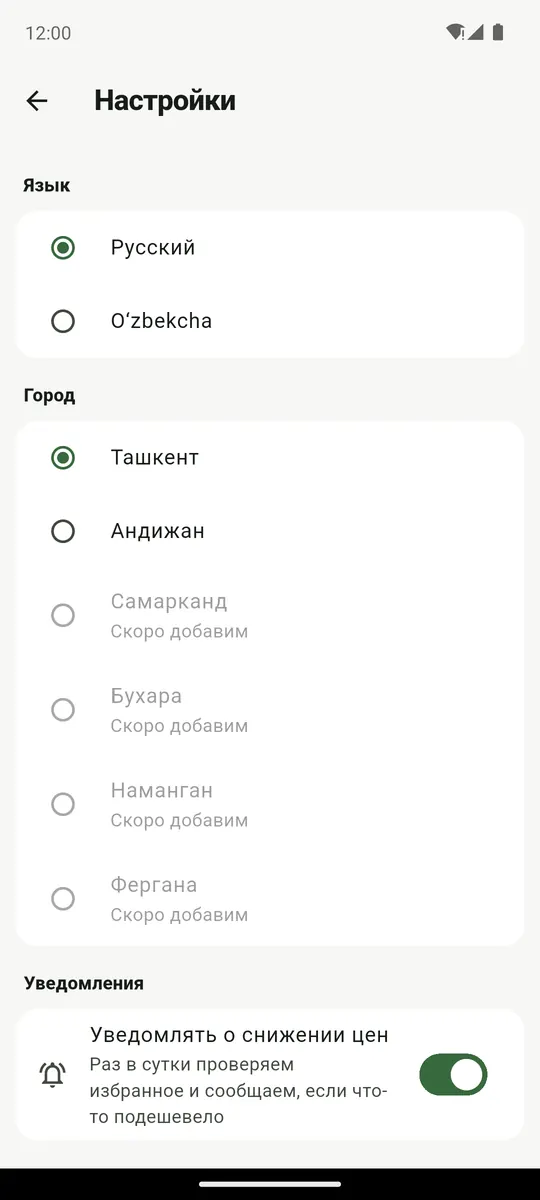
On first launch, pick a language — O‘zbekcha or Русский — and a city. Tashkent and Andijan are available now; the other cities are marked “coming soon”.
Language and city can be changed in settings, the gear icon in the top right corner. Prices download over the internet the first time; after that the catalogue works offline.
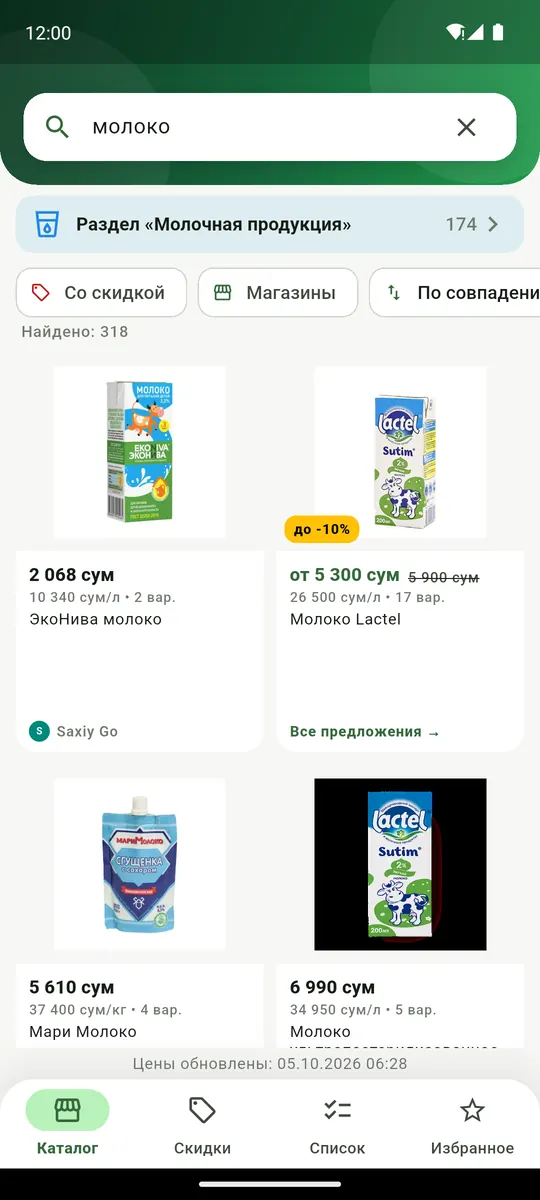
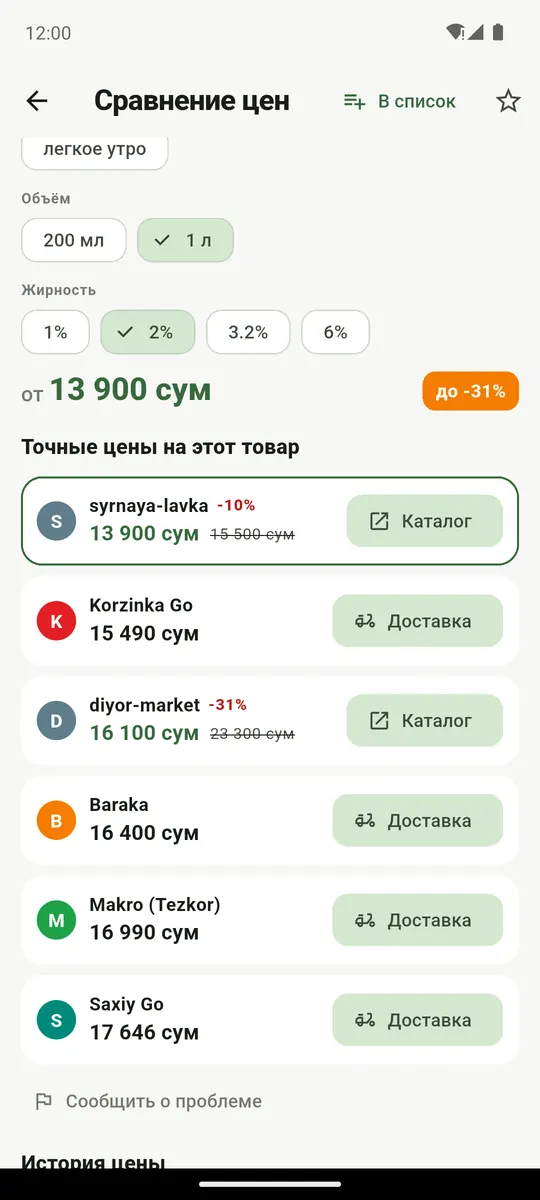
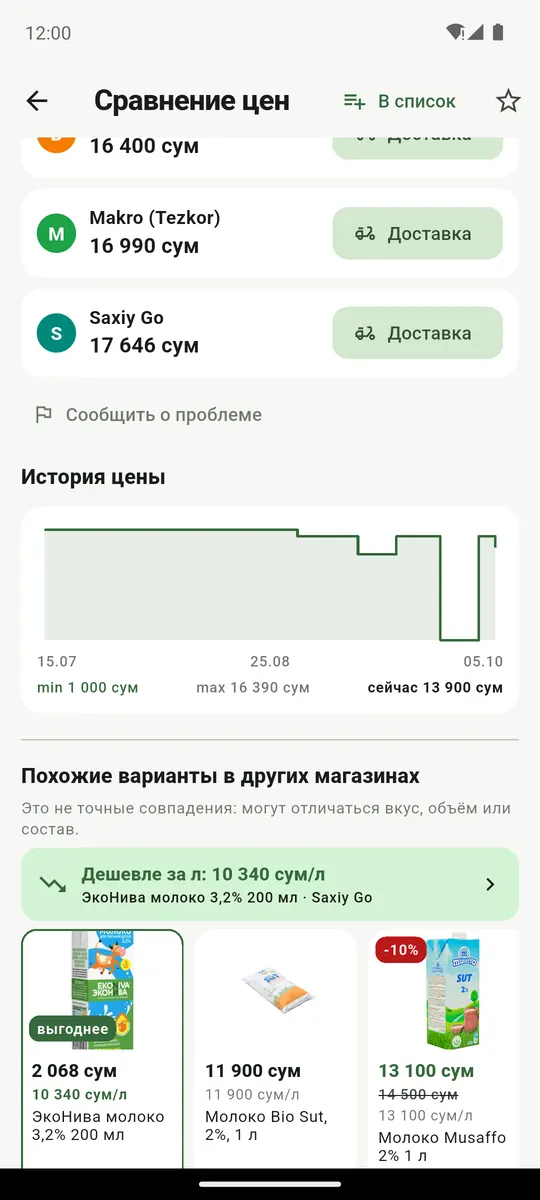
Tap a product to open the comparison (Сравнение цен). Pick the type, size or fat content at the top; below are exact prices for this product, cheapest first.
Similar items in other stores are not exact matches: flavour, size or ingredients may differ. The “cheaper per l/kg” bar points out the best value by unit price.
The Delivery and Catalogue buttons next to a store open the product in the delivery service or in the store’s catalogue.
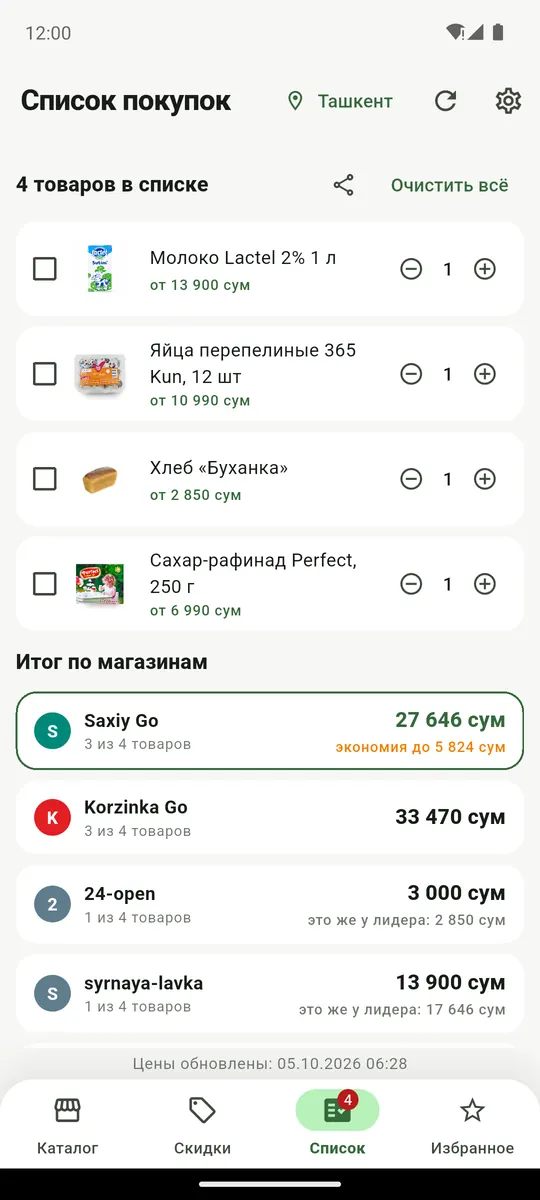
On the comparison screen tap “В список” (add to list). The List tab shows totals by store: what your list costs in each, the leader on top, and the saving.
If a store doesn’t have everything, you see “3 of 4 items” and what the same items cost at the leader, so a partial basket never looks cheaper than it is.
Share the list with the share button and tick off what you’ve bought.
The star on the comparison screen adds a product to Favourites. When it gets cheaper, a “was …” label appears next to it.
Once a day the app checks your favourites and sends a notification. Turn this off in settings. If alerts don’t arrive, check that notifications are allowed for ArzonTop in Android settings.
Wrong section, price, name or photo? On the comparison screen tap “Сообщить о проблеме” (report a problem), pick a reason and add a comment if you like. The report goes to the developer; each one is reviewed, and every fixed case becomes a check so the mistake doesn’t come back.
Clear favourites with the star and the list with “Очистить всё” (clear all). To delete everything at once, uninstall the app or clear its data in Android settings.
No servers hold your data. If you sent a problem report and want it deleted, email me.